Help
The Markets tab
Markets lives in the Data tab, next to Featured Lines. It shows the live market for every game on this week’s schedule: the spread, the moneyline, and the total. It updates in real time. You cannot place a bet or execute a trade on Chrispy Slips — we only show you the market so you can watch how it moves.
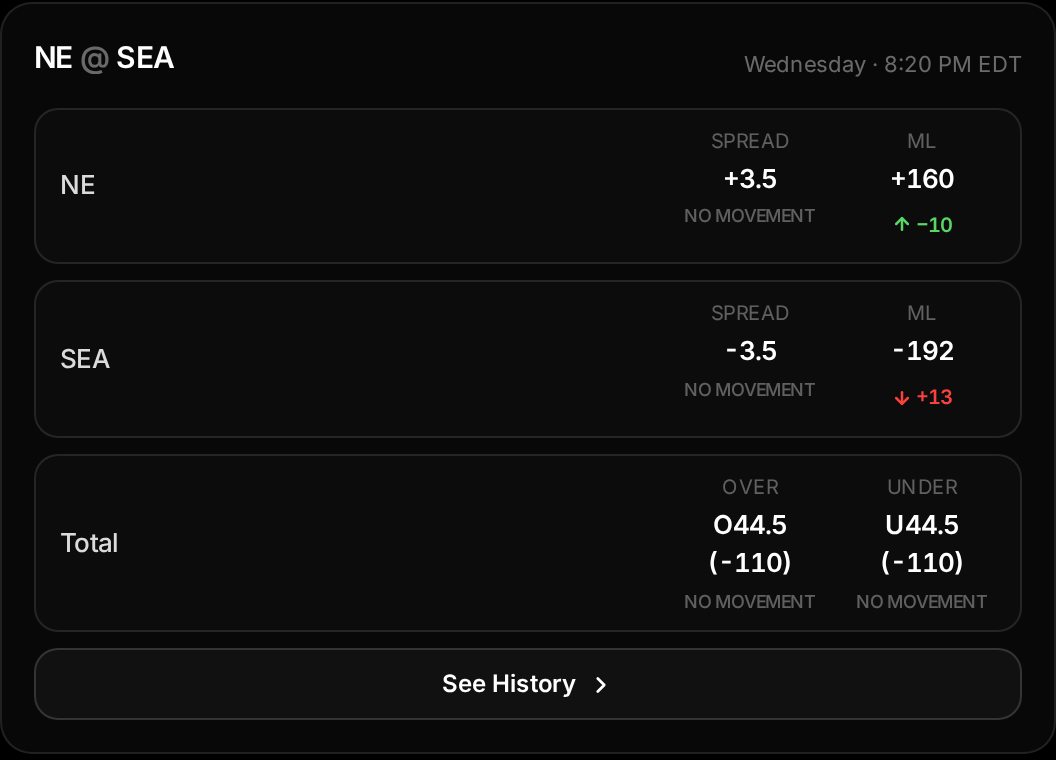
Spread
Moneyline (ML)
Total
The green and red arrows
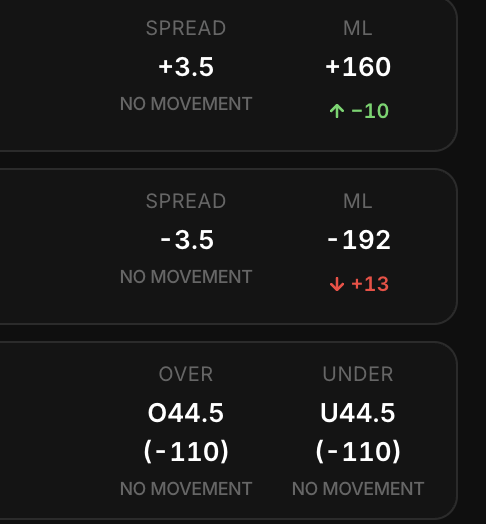
Every number carries a small arrow showing how it has moved since the last time it changed. A green arrow up means the number went down (the market is moving toward that side), and a red arrow down means it went up. The figure beside the arrow is the exact amount it moved.
Example: SEA opens at −2.5 and moves to −3.5. SEA shows a green arrow with −1.0 and NE shows a red arrow with +1.0. If a number has not moved yet, it simply reads "No movement" underneath.
Line history
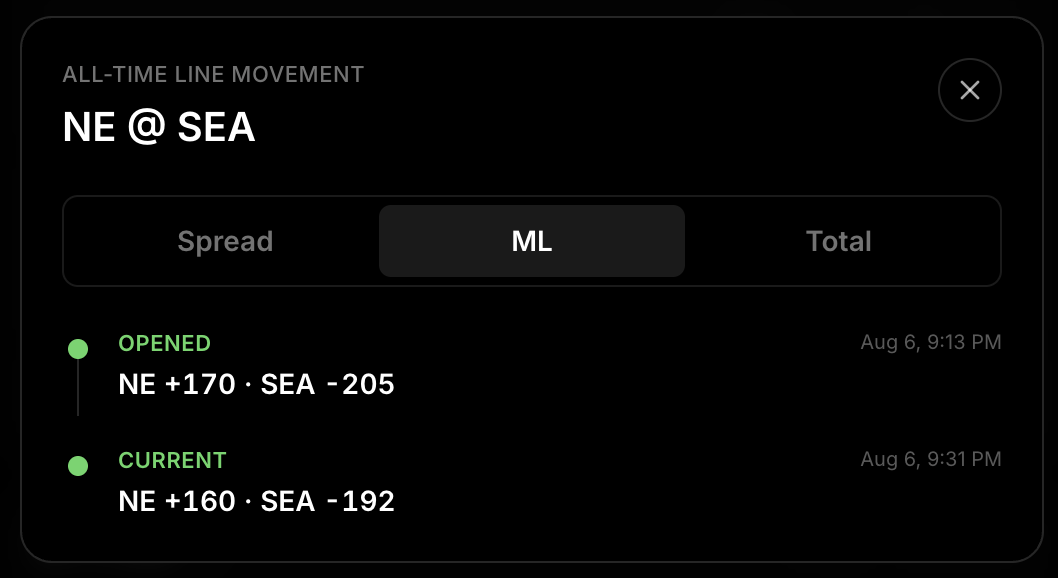
Tap See History on any game to open its all-time movement, split into Spread, ML, and Total. We keep every move a number has ever made — the opening line, every change in between, and the current line.
Nothing ever gets erased. If a line moves away from its opening number and later comes all the way back, the trip out and the trip back both stay on the timeline, so a number that looks unchanged today still shows it moved at some point.
Biggest Movers 🧐
In the sort menu, Biggest Movers 🧐 hides every other game and leaves only the three games whose spread, moneyline, or total has moved the most. The rest of the sort options (ML, spread, and total, high to low or low to high) keep every game on screen. Default follows the same order as the Home tab.
Desktop notifications
Tap the bell in the top corner of the site once and allow notifications in your browser — that switches notifications on for the whole site. Tap it again at any time to switch them off.
Each game in Markets has its own small bell. Turn it on and you’ll get an alert the moment that game’s market moves — for example “SF @ LAR Spread Moved 👀”. If site notifications are still off, the bell sends you to the Home tab and highlights the main bell so you know what to switch on first.
Site notifications also cover new featured lines, players ruled out, and lines that officially cash.